FormPilot
Upload a PDF form, and AI turns it into a smart web form that fills itself from the user’s documents.
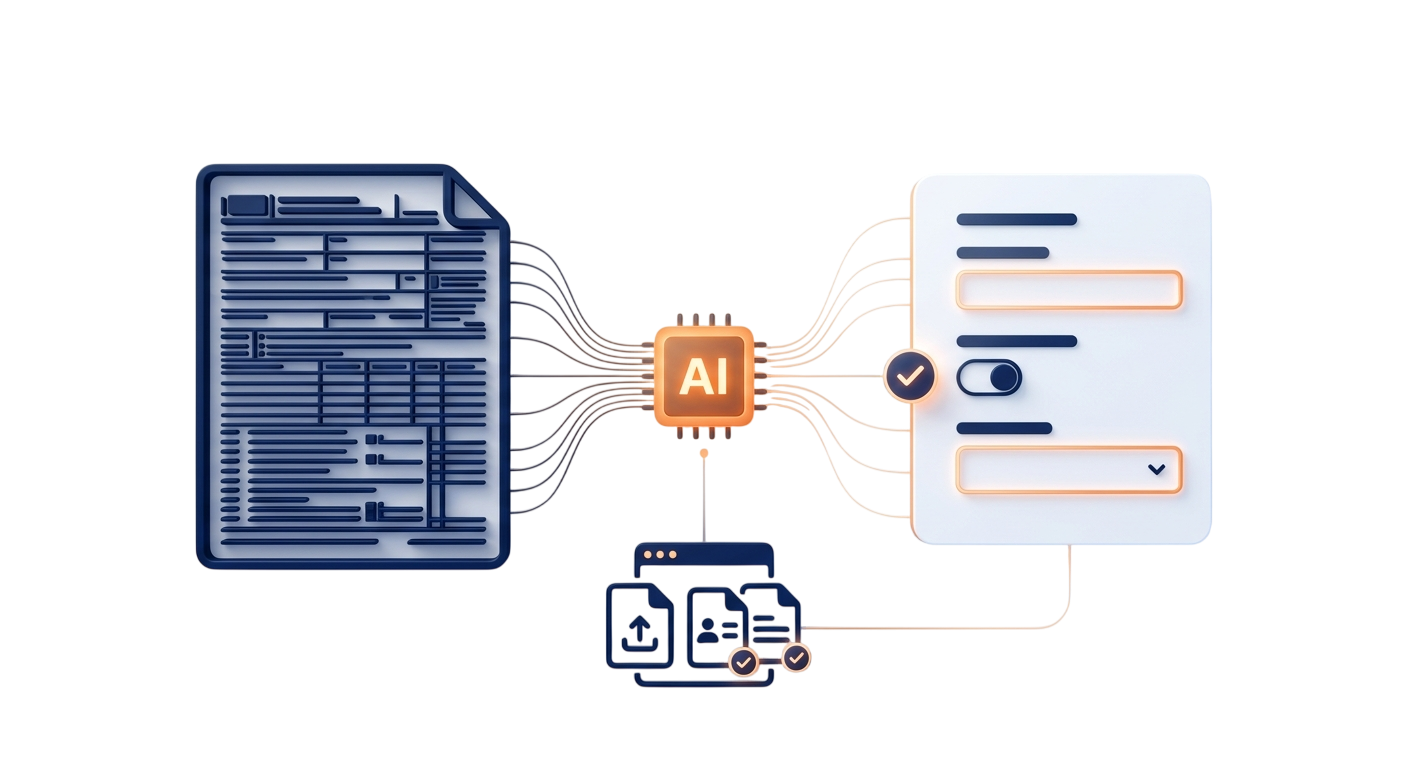
TGTS is an AI-powered dynamic form platform that removes both hand-coding forms and manual data entry. An admin uploads a raw PDF — a tax form, onboarding packet, or application — and AI reads it into a structured schema; users are then shown an auto-generated interactive web form, upload their required documents, and AI auto-fills their answers straight from those documents, leaving them only to review and submit.
Digitising paper forms usually means hand-coding every field and asking users to re-type information that already exists on their documents. TGTS had to eliminate both: understand any uploaded PDF form automatically, render it as a working web form with no manual markup, and pull answers directly out of the user’s own documents.
- 01
Admin uploads a form
An admin uploads a raw PDF of a form — a tax form, onboarding packet, or application — to the platform, with no field-by-field configuration required.
- 02
AI reads it into a schema
The backend sends the PDF text to an LLM (such as OpenAI or Groq) that acts as a reader, finding every question, checkbox, and signature line and returning a structured JSON schema — each field’s label, input type, and whether it is mandatory.
- 03
Required-documents checklist
The admin attaches a “required documents” list to the form — for example a photo ID and a W-2 — defining what each user will need to provide.
- 04
Dynamic form rendering
For each user, the frontend reads the JSON schema and automatically builds an interactive web form — text boxes, dropdowns, and conditional fields that show or hide based on earlier answers — with no hand-written HTML.
- 05
Document upload & AI auto-fill
The user uploads their required documents into a secure vault; the platform passes them to the AI, which reads them and automatically matches the extracted information into the right form fields.
- 06
Review & submit
The user reviews the auto-filled answers, completes any remaining blanks, and submits — with a compliance checker confirming every required document is present first.
AI form-to-schema extraction
Any uploaded PDF form is analysed by an LLM into a structured schema of fields, input types, and requirements — no manual field-by-field mapping.
Schema-driven dynamic forms
The frontend renders forms directly from that schema, including conditional fields that hide or show based on prior answers, so no individual form is ever hand-coded.
AI document auto-fill
Users’ uploaded documents are read by AI and matched into the form automatically, removing repetitive manual data entry from the process entirely.
Secure vault & compliance checker
A secure upload area collects required files, and a progress checker validates them against the form’s required-documents list before submission is allowed.
AI extraction backend
A Python / Node.js backend extracts text from an uploaded PDF, sends it to an LLM under a strict prompt, and persists the resulting JSON schema to the database.
Dynamic form renderer
A frontend component turns a JSON schema into live UI — inputs, dropdowns, and conditional fields — with no per-form code to write or maintain.
Vault & compliance layer
A secure document-upload area pairs with a checker that tracks uploaded files against each form’s required-documents list.
Have a project like this?
Tell us what you're building — thirty minutes with an engineer, not a salesperson.